|
To help better understand the link between what is sent from a Task and how it's set up, creating a new MyAssistant Task starts with identifying what to send:
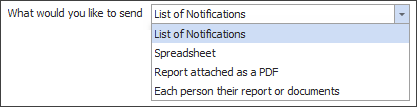
This selection changes what is seen in MyAssistant to help educate how choices affect what's emailed.
"What to Send" features the following options:
List of Notifications: This option is for sending a list of information in the body of an email.
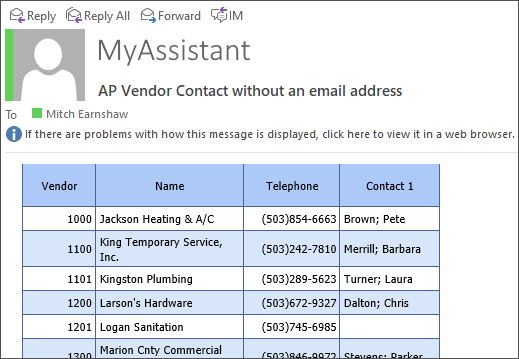
Once this option has been selected, the next step will be to pick what the Task will send a list of in the body of the email.
Spreadsheet: Used to send an Excel spreadsheet attached to the email(s) sent by the Task.
.png)
After selecting this option, the next step is to decide what should print on each line in the spreadsheet.
Report attached as a PDF: This is used to send reports where every recipient gets the same information.
Each person their report or documents: This option is used to send each recipient only their information. The next step after picking this option would be to identify what Sage information will be used to create a mailing list that will identify who needs to be emailed and who doesn't.
|

