|
|
MyAssistant has two parts: the MyAssistant Server software and the MyAssistant workstation(s). After installing and configuring the MyAssistant Server software, the next thing that will be installed will be MyAssistant on any workstations where it will be used.
After a MyAssistant workstation has been installed, it will need to be configured -- this section covers the steps involved in configuring a MyAssistant workstation, as well as the information that can be updated afterwards from within a MyAssistant Designer.
Configuring a MyAssistant workstation involves the following steps:
1.Activate the MyAssistant workstation license (either MyAssistant Designer or MyAssistant)
2.Enter the Sage user name and password MyAssistant will use for local processes (for example: browsing data)
3.Enter information about yourself
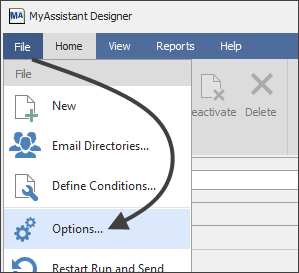
Reviewing the above items and more after configuring a MyAssistant Designer can be done by opening the MyAssistant Designer, clicking "File" and selecting "Options":
|
|

